
Explore a wide range of free XLS templates for creating an effective meeting planner. These templates offer structured layouts to help you organize agenda items, track attendees, and allocate tasks. Customizable features allow you to tailor the planner to meet your specific needs, ensuring efficient meeting coordination.
Meeting agenda planner Excel template
💾 Meeting agenda planner Excel template template .xls
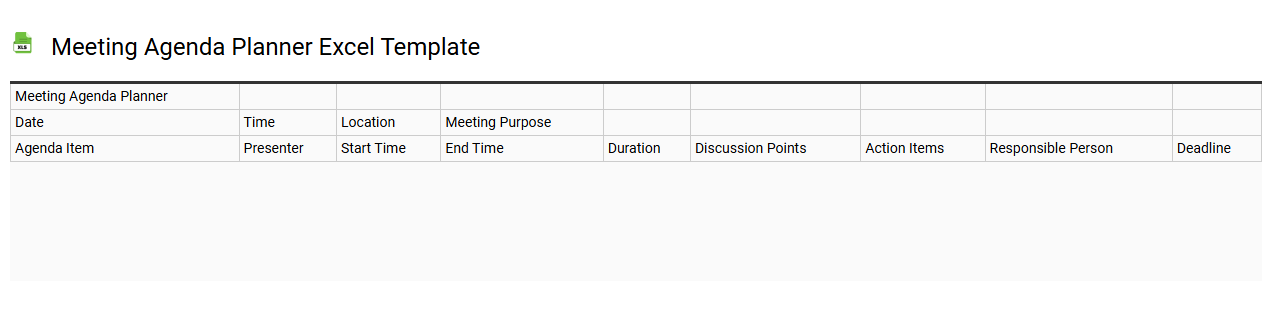
A Meeting Agenda Planner Excel template is a structured tool designed to help organize and manage meeting details efficiently. It typically includes sections for meeting objectives, participant lists, scheduled dates and times, topics for discussion, and designated speakers or facilitators. This template can enhance productivity by ensuring that all relevant points are covered, and time is allocated appropriately for each item. You can use this basic template for regular meetings while further customizing it for advanced needs like tracking action items, deadlines, or integrating with project management software.
Meeting attendance tracker Excel template
💾 Meeting attendance tracker Excel template template .xls
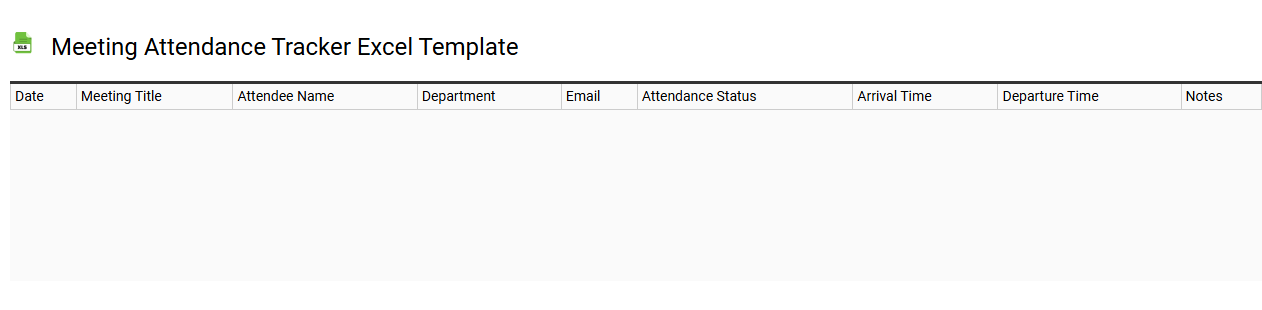
A Meeting Attendance Tracker Excel template is a pre-designed spreadsheet that helps you log and monitor attendance at meetings. This template typically includes columns for attendee names, dates, and any notes regarding their participation or absence. You can easily customize it to fit your organization's specific needs, making it a convenient tool for managing attendance records. Its basic usage can extend to more advanced functionalities like automated reminders and data analysis, allowing you to track participation trends and optimize meeting effectiveness.
Corporate meeting planner Excel template
💾 Corporate meeting planner Excel template template .xls
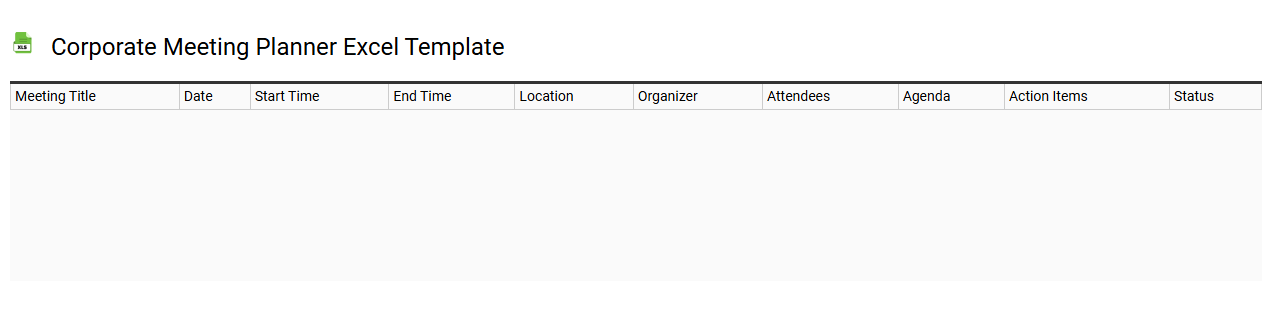
A Corporate Meeting Planner Excel template is a structured spreadsheet designed to facilitate the planning and organization of business meetings. It typically includes sections for tracking essential details such as agenda items, participant lists, venues, budgets, and timelines. With user-friendly formatting, you can easily customize each aspect to fit specific meeting requirements and enhance collaboration among team members. This tool not only aids in ensuring that all aspects of the meeting are addressed but also serves as a foundation for advanced project management applications, like Gantt charts or resource allocation analysis.
Virtual meeting organizer Excel template
💾 Virtual meeting organizer Excel template template .xls
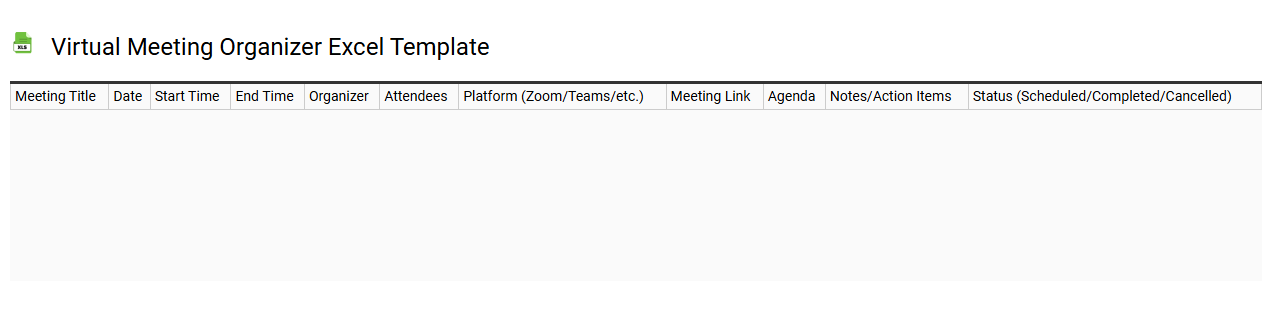
A Virtual Meeting Organizer Excel template serves as an essential tool for planning and managing online meetings efficiently. The template typically includes sections for meeting objectives, participant lists, agendas, and timelines, allowing you to streamline the scheduling process. With features like automated reminders and follow-up tasks, it enhances your ability to keep attendees informed and engaged. For basic usage, you can customize it to suit your individual or team needs, while further potential applications may involve integration with advanced project management systems or analytics tools for enhanced tracking and productivity.
Project kickoff meeting Excel template
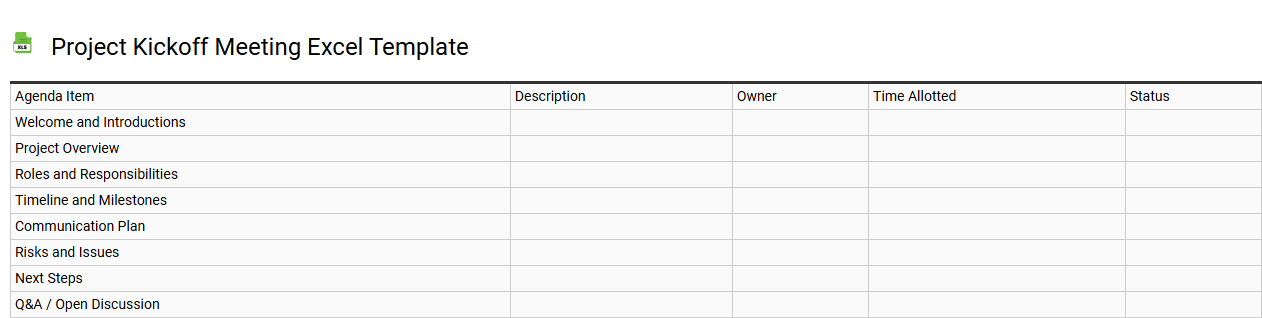
💾 Project kickoff meeting Excel template template .xls
A Project Kickoff Meeting Excel template is a structured tool designed to facilitate the initiation of a project. It typically includes sections for defining the project scope, objectives, roles, responsibilities, key milestones, and timelines. By organizing inputs and insights from team members, this template fosters clarity and alignment among stakeholders, ensuring everyone is on the same page. You can customize it further to address unique project needs, such as incorporating advanced features like Gantt charts or risk assessment matrices for enhanced project management.
Business meeting notes Excel template
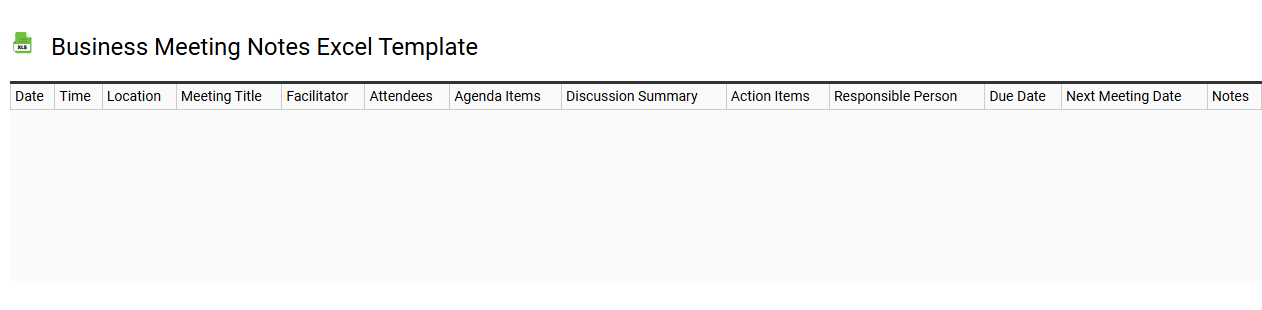
💾 Business meeting notes Excel template template .xls
A Business meeting notes Excel template is a structured document designed to capture and organize important information discussed during meetings. It typically includes sections for agenda items, key discussion points, action items, responsible individuals, and deadlines. You can easily modify this template to suit your specific meeting needs, enhancing clarity and follow-up efficiency. Beyond basic usage, potential applications may involve data analysis, integration with project management tools, and advanced tracking of progress and outcomes within your organization.
Client meeting follow-up Excel template
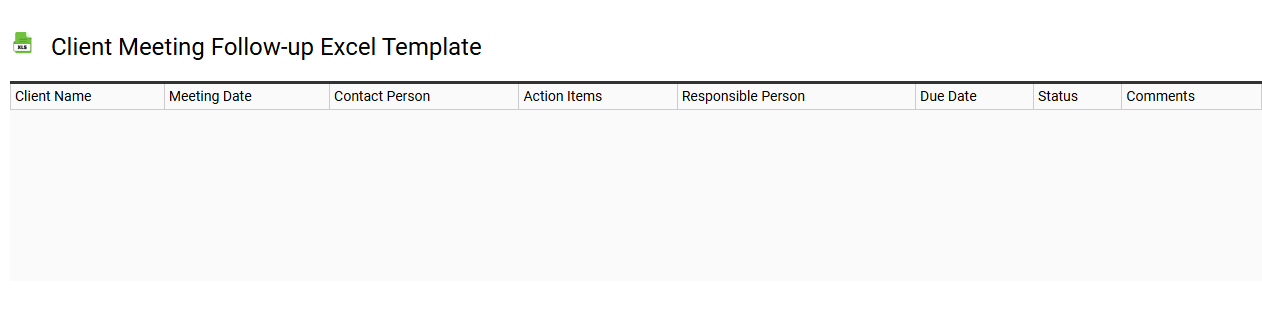
💾 Client meeting follow-up Excel template template .xls
A Client Meeting Follow-Up Excel template serves as a structured tool for tracking the outcomes and action items from client meetings. This template typically includes sections for participant names, discussion points, assigned tasks, deadlines, and status updates. The organized layout helps you prioritize follow-up actions, ensuring no important details slip through the cracks. Using this template not only streamlines communication but also lays the groundwork for advanced project management strategies, integrating more complex systems such as CRM and performance analysis.